
Agentless Devices
Overview
Section titled “Overview”Understand how MSPControl represents devices discovered without the Autopilot agent.
The Agentless Devices page in MSPControl provides an overview of devices that do not run the MSPControl Autopilot agent. These devices, typically iOS and Android systems, are synchronized through Azure integration. This section is for inventory purposes only and does not yet allow direct management or configuration.
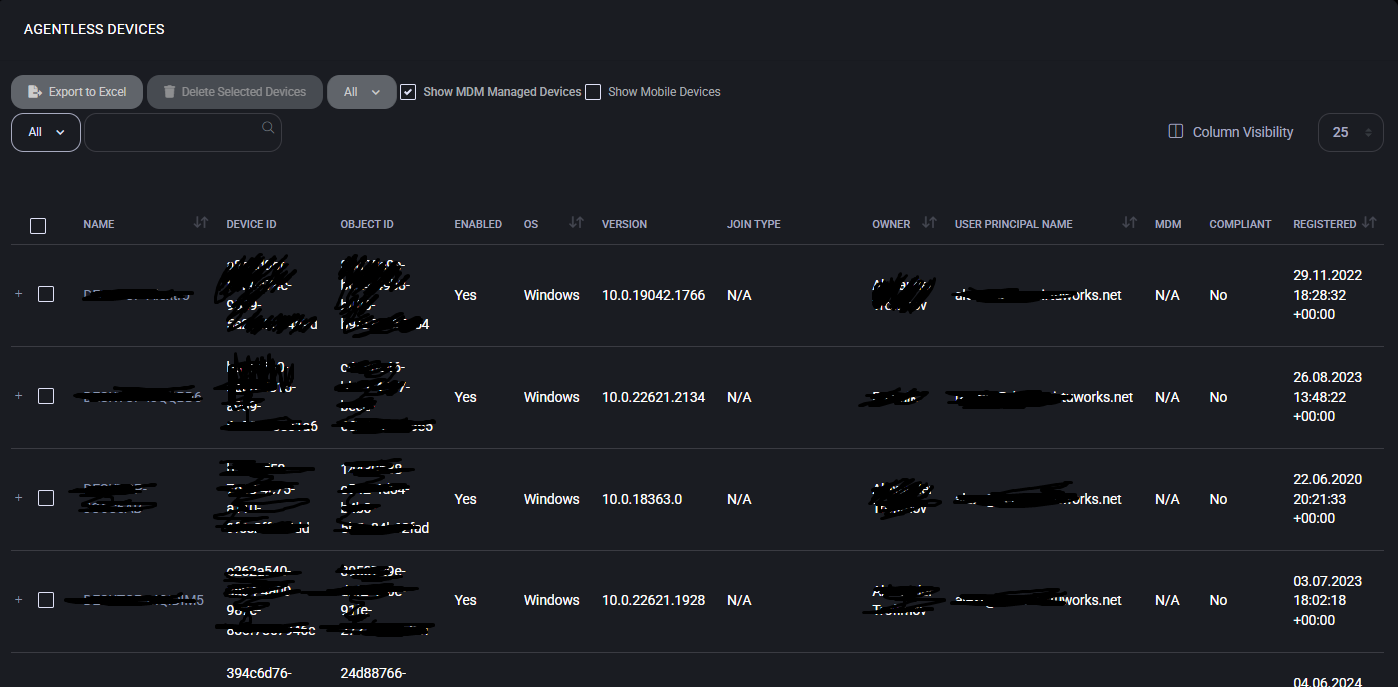
Device Synchronization
Section titled “Device Synchronization”Agentless devices appear in the list after the scheduled Azure task Sync Managed Devices has been executed. This ensures that smartphones and tablets registered with Azure Active Directory become visible in MSPControl for tracking and auditing.
Device Registration
Section titled “Device Registration”To include iOS or Android devices in the inventory, administrators must first register them in Azure Active Directory. Microsoft provides detailed instructions: How to register iOS devices to Azure AD Once registered, the devices are automatically synchronized and listed in MSPControl.
Use Cases
Section titled “Use Cases”- Maintain visibility of mobile devices (iOS and Android) used within the organization.
- Ensure non-Windows devices are included in IT asset inventory.
- Support compliance audits by tracking devices through Microsoft Entra ID (Azure AD) registration.
Best Practices
Section titled “Best Practices”- Schedule the Sync Managed Devices task regularly to keep the inventory accurate.
- Require Microsoft Entra ID registration for all mobile devices accessing company resources.
- Use this page for visibility and reporting, not for device management.
- Incorporate the data into broader compliance and asset-tracking processes.