
Hosting Add-Ons
Overview
Section titled “Overview”Configure and use Hosting Add-Ons from the MSPControl administrator portal.
Hosting Add-Ons
Section titled “Hosting Add-Ons”Hosting Add-Ons in MSPControl let you grant additional resources and quotas to a specific customer’s Hosting Space without modifying the base Hosting Plan. Since the add-on is applied to the Hosting Space rather than the plan, other customers remain unaffected by these changes.
Note: A Hosting Space is first created based on a Hosting Plan. Afterward, you can apply one or more Hosting Add-Ons to that space to expand or customize the allocated resources.
Why Use Hosting Add-Ons?
Section titled “Why Use Hosting Add-Ons?”- Preserve the Base Plan Once a Hosting Space is created from a plan, changing that plan affects all existing spaces. Hosting Add-Ons let you enhance resources for a single Hosting Space without impacting others.
- Flexible Resource Adjustments If one customer needs extra resources (e.g. mailboxes, more disk space, an additional hosted organization, etc.) you can grant these via an add-on instead of updating the entire plan.
- Granular Control Add-Ons allow you to pick and choose which quotas to extend, giving precise control over each Hosting Space’s resources.
Creating a Hosting Add-On
Section titled “Creating a Hosting Add-On”To create a new Hosting Add-On:
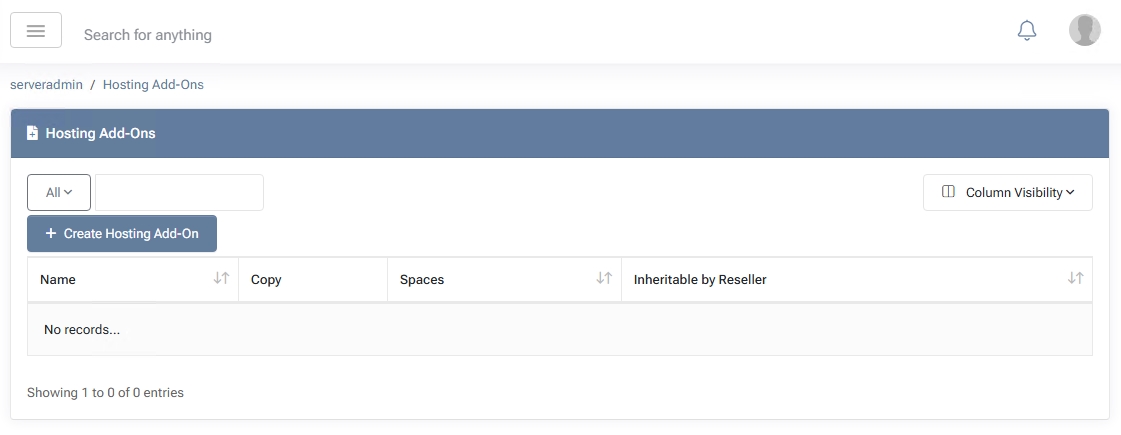
- Go to Hosting Add-Ons in the MSPControl menu.
- Click Create Hosting Add-On.
- Provide an Add-On Name and an optional Description.
- Select the quotas you want to include in this add-on. (Refer to the Hosting Plans document for detailed explanations of each quota.)
- If desired, check Inheritable by Reseller to allow resellers to use this add-on in their own offerings.
- Click Save Changes or Save Changes and Exit.
Note: The selected quotas in an add-on behave as additional resources on top of what the customer’s Hosting Space already provides from its base plan.
Examples
Section titled “Examples”- Extra Mailboxes If a Hosting Plan includes 5 Exchange mailboxes and a particular customer needs 10, create a Hosting Add-On that grants 5 additional mailboxes. Only that customer’s Hosting Space gets the extra mailboxes; other spaces remain unchanged.
- Additional Hosted Organizations If the base plan allows 1 Hosted Organization but a specific customer needs 2, assign an add-on that includes 1 more hosted organization quota.
Managing Hosting Add-Ons
Section titled “Managing Hosting Add-Ons”- View / Edit On the Hosting Add-Ons page, you can see all existing add-ons. Click an add-on name to modify quotas or the description.
- Delete If an add-on is no longer needed, you can remove it. However, ensure no active Hosting Space relies on it before deleting.
By using Hosting Add-Ons, MSPControl administrators keep the base Hosting Plan stable while tailoring resources to individual Hosting Spaces. This approach prevents unintended global changes and offers flexible, scalable service packages.