
Email Routes
Overview
Section titled “Overview”Configure and use Email Routes from the MSPControl administrator portal.
Email Routes in MSPControl enable administrators to define and manage mail routing between mail servers and clients. This feature is essential for integrating mail services such as Microsoft Exchange, SmarterMail, and similar platforms. Email Routes simplify the management of inbound and outbound email traffic, ensuring seamless delivery and effective mail flow control. For more information about SMTP relay and security best practices, refer to Microsoft Exchange Mail Flow.
Accessing Email Routes
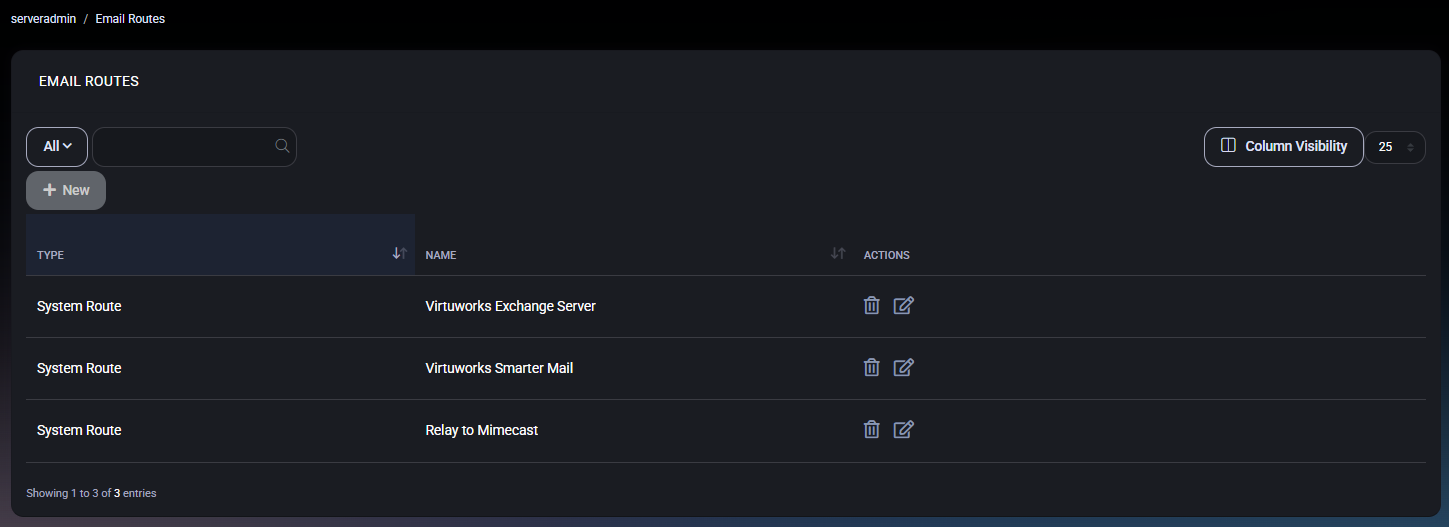
Section titled “Accessing Email Routes”Navigate to Settings > Email Routes to view the existing routes. The list displays route type, name, and actions available for each route.
- Type: System Route or Customer Route.
- Name: A descriptive name for the route (e.g., Virtuworks Exchange Server).
- Actions: Edit or delete a route.
Creating or Editing an Email Route
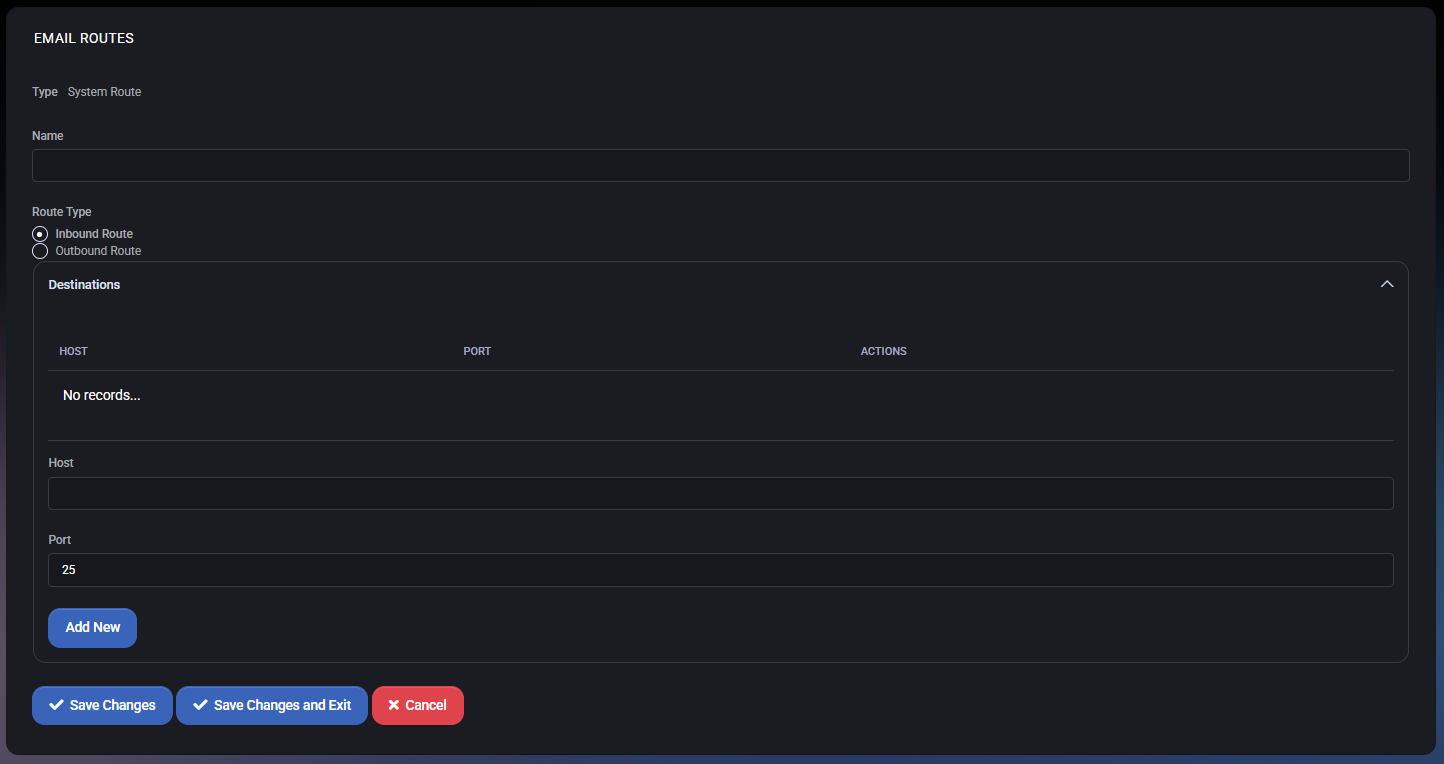
Section titled “Creating or Editing an Email Route”Click the + New button to add a new route, or click the edit icon to modify an existing one. Complete the required fields:
- Type: Choose System Route or Customer Route, depending on the route’s purpose.
- Name: Enter a unique, descriptive name (e.g., Virtuworks Exchange Server).
- Route Type: Inbound or Outbound, depending on mail direction.
- Destinations: Define the destination host and port for this route (e.g., 193.34.104.119, port 25). Use the Add New button to add multiple destinations if required.
Validating and Testing
Section titled “Validating and Testing”After saving the route, test mail flow to ensure proper delivery. Send test emails using configured servers and verify logs and mail queues to confirm that traffic is routed correctly. Check inbound and outbound flows for errors, and adjust configurations as needed for consistent operation.
Best Practices
Section titled “Best Practices”- Descriptive Names: Use clear and unique names for each route to avoid confusion.
- Monitor Logs: Regularly review logs and email queues to identify and resolve delivery issues.
- Security: Implement secure protocols and authentication for all routes to protect mail traffic.
- Redundancy: Define multiple destinations for failover in case of host issues.