
Virtual Networks
Overview
Section titled “Overview”Configure and use Virtual Networks from the MSPControl administrator portal.
Virtual Networks Management
Section titled “Virtual Networks Management”The Virtual Networks functionality in MSPControl lets administrators oversee VLANs, subnets, and IP ranges within client infrastructures. It provides essential tools for adding, importing, editing, and deleting network configurations from a single interface. This feature is vital for establishing private networking, workload isolation, and secure traffic routing in both on-premises and cloud environments. For more information about virtual networks , visit the Microsoft Virtual Networks documentation.
Key Features
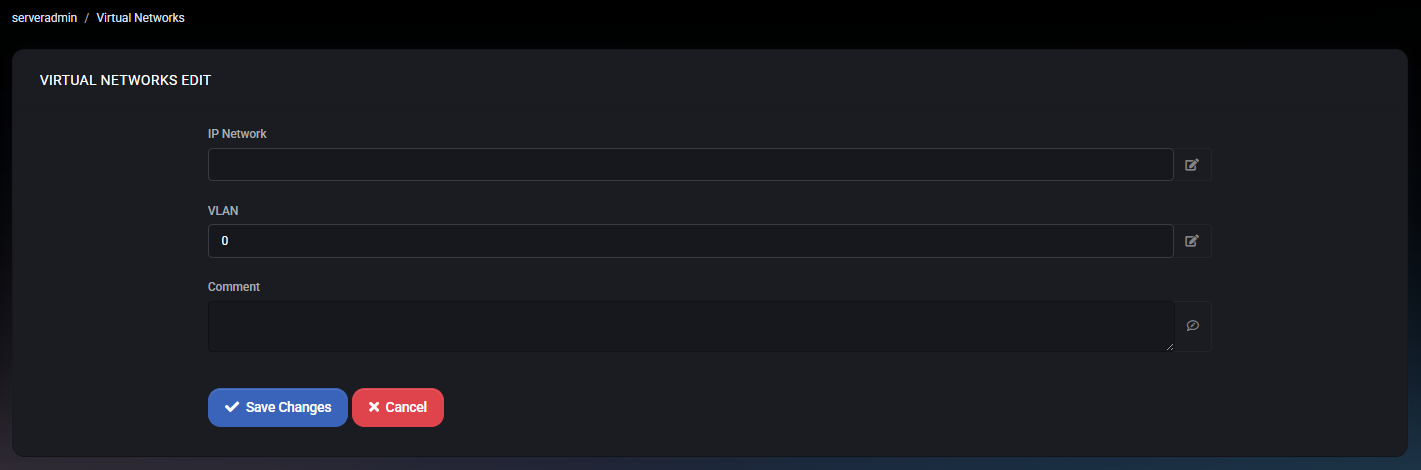
Section titled “Key Features”- Add Networks: Create a new network entry using the Add button. Define the IP range, VLAN ID, and an optional comment to aid documentation.
- Import Options: Bring in existing logical network configurations for easy integration. Select from available networks and confirm by clicking Save.
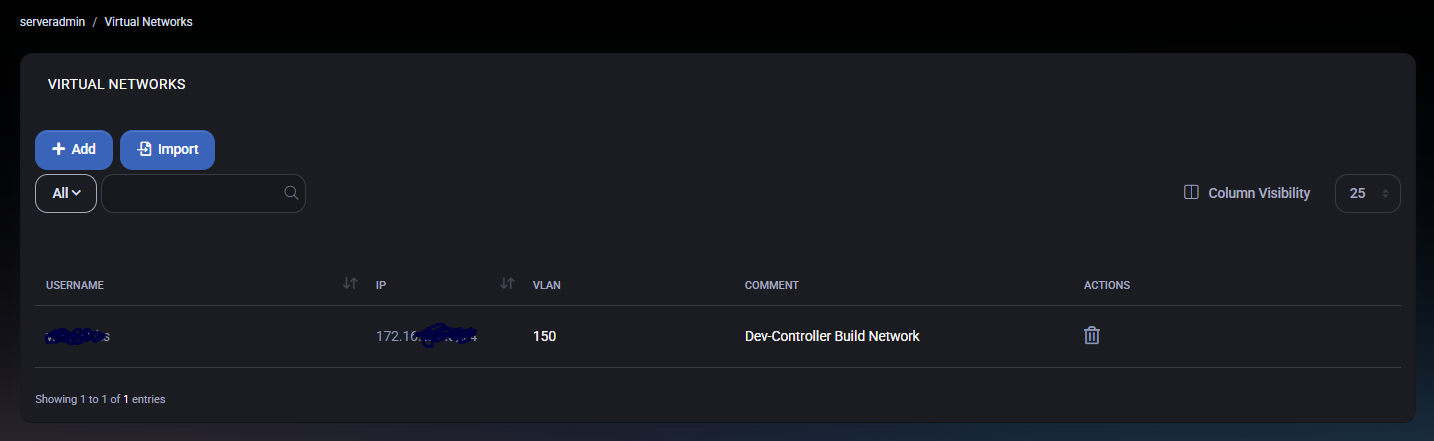
- Network Overview: View configured networks with columns displaying Username, IP, VLAN, and Comment.
- Quick Actions: Delete unwanted entries with a single click using the trash icon.
- Filters: Narrow down the list by using the dropdown or search bar.
Overview Dashboard
Section titled “Overview Dashboard”The main page shows a comprehensive list of configured entries, complete with IP ranges, VLAN assignments, and additional notes. Sorting and filtering capabilities help manage complex environments.
Adding or Editing Network Entries
Section titled “Adding or Editing Network Entries”Use the Add or edit tools to configure an entry. Enter the IP Network (e.g., 192.168.1.0/24), specify the VLAN ID, and add a Comment as needed. Save your changes by clicking Save Changes.
Importing Configurations
Section titled “Importing Configurations”To integrate existing logical network setups, click Import. Choose from available options and confirm the import by selecting Save. This simplifies migration and integration processes.
Connections with Other MSPControl Features
Section titled “Connections with Other MSPControl Features”Virtual Networks seamlessly integrate with other modules in MSPControl to provide a cohesive IT ecosystem:
- RDS Collections – Connect networks to specific Remote Desktop Services collections for session isolation and improved security.
- Hyper-V Virtual Machines – Assign networks to VMs to enable controlled traffic flow and network segmentation.
This synergy between features ensures optimal design and secure management of multi-tenant IT environments.
Best Practices
Section titled “Best Practices”- Use Comments: Add clear descriptions to help with future troubleshooting and management.
- Manage IP Ranges Carefully: Keep IP ranges unique and documented to avoid overlaps and conflicts.
- Review Regularly: Periodically revisit entries to confirm they meet current security and operational requirements.
- Document VLANs: Maintain a consistent approach to VLAN assignments for easier support and compliance.
- Link with Other Modules: Integrate with RDS and Hyper-V modules to maximize value and efficiency.
MSPControl: Simplify your network administration with a unified platform that brings clarity and control to your infrastructure, no matter the scale.