Dashboards, Portals, and Documentation
Smile back CSAT score widget
Section titled “Smile back CSAT score widget”The Smile Back CSAT Score widget provides insights into customer satisfaction levels based on feedback collected through surveys. It helps organizations measure service quality, response effectiveness, and overall user sentiment toward support performance.
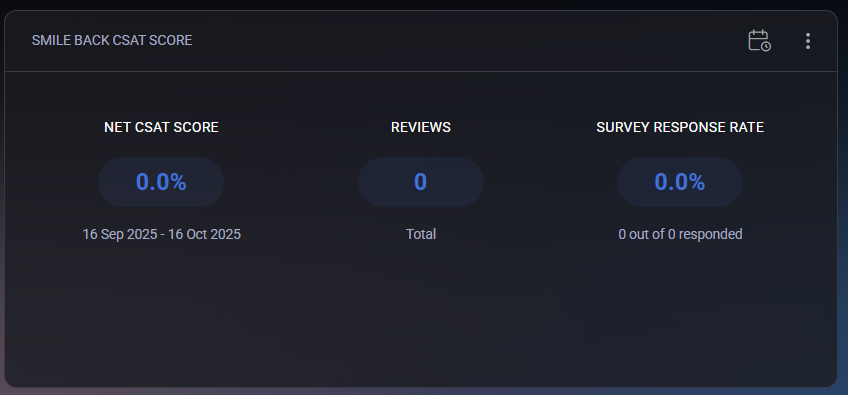
The widget includes three primary metrics:
- Net CSAT Score – represents the overall customer satisfaction percentage during the selected period. The score is calculated from all received survey responses, showing how many users rated their experience positively versus negatively.
- Reviews – displays the total number of received feedback submissions within the defined reporting period.
- Survey Response Rate – indicates the percentage of users who responded to the surveys out of all invited participants. A higher rate reflects stronger user engagement.
Administrators can select a custom reporting period using the calendar icon in the upper-right corner. After choosing From and To dates, clicking Generate Report updates the displayed data for the specified range. The widget also supports display customization through filters:
- Show Net CSAT Score – toggles visibility of the overall satisfaction metric.
- Show Reviews – enables or hides the total number of survey responses.
- Show Survey Response Rate – controls the visibility of the response rate indicator.
- Remove Widget from Dashboard – removes the widget entirely from the current dashboard view.
The Smile Back CSAT Score widget provides a concise and visual overview of user feedback performance, helping organizations continuously improve service quality and client satisfaction.
Hosting spaces widget
Section titled “Hosting spaces widget”The Hosting Spaces widget provides a quick overview of the hosting environments available to the customer. Each hosting space represents a separate service container that holds related resources such as domains, mail accounts, websites, and databases associated with a specific organization or subscription.
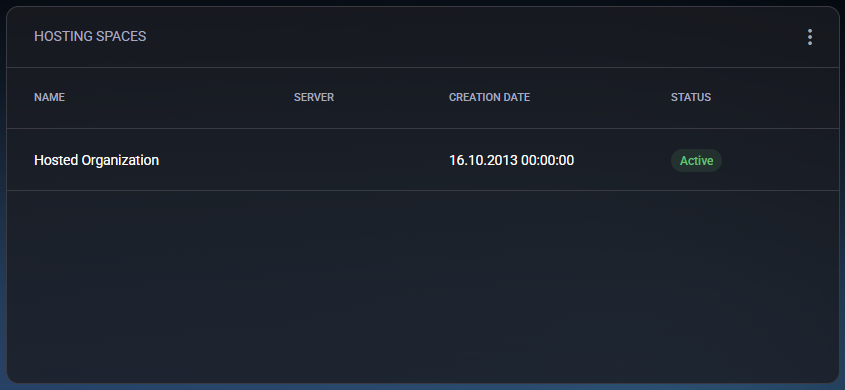
The widget displays the following information:
- Name – the name of the hosting space. Typically, it corresponds to the organization or tenant name (for example, Hosted Organization).
- Server – identifies the physical or virtual server where this hosting space is deployed.
- Creation Date – shows when the hosting space was originally created.
- Status – indicates the current operational state of the hosting space. For example, Active means the environment is fully functional and accessible.
The Hosting Spaces section helps users and administrators verify that their organization’s hosting environment is available and properly configured. It also provides a starting point for navigating deeper into hosted services, such as web hosting, mail management, or resource allocation.
Microsoft admin portals widget
Section titled “Microsoft admin portals widget”The Microsoft Admin Portals widget provides quick access links to the most essential Microsoft administration centers, allowing administrators to manage services, licenses, security, and compliance across their Microsoft 365 and Azure environments.
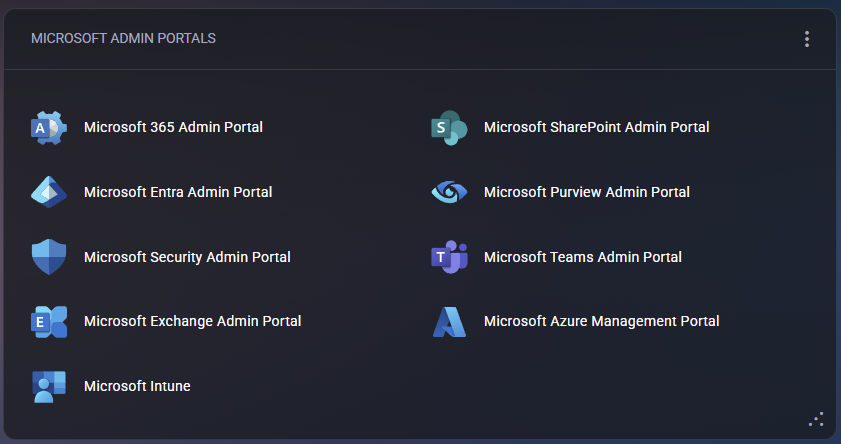
This widget acts as a unified gateway for managing multiple Microsoft platforms from a single panel. Each portal link opens in a new browser tab, providing direct access to specific administrative functions. The available portals include:
- Microsoft 365 Admin Portal – manage users, licenses, and organization-wide settings for Microsoft 365.
- Microsoft Entra Admin Portal – configure identity management, conditional access, and Azure AD policies.
- Microsoft Security Admin Portal – monitor and configure security alerts, threat protection, and compliance policies.
- Microsoft Exchange Admin Portal – administer mailboxes, transport rules, and Exchange-related configurations.
- Microsoft Intune – manage devices, applications, and endpoint compliance.
- Microsoft SharePoint Admin Portal – configure SharePoint sites, permissions, and storage usage.
- Microsoft Purview Admin Portal – manage compliance, data loss prevention (DLP), and information governance.
- Microsoft Teams Admin Portal – manage Teams policies, users, and meeting configurations.
- Microsoft Azure Management Portal – control Azure subscriptions, resources, budgets, and role assignments.
The Microsoft Admin Portals widget centralizes access to all major Microsoft service dashboards, improving administrator productivity and simplifying cross-platform management.
Documentation widget
Section titled “Documentation widget”The Documentation widget serves as a centralized repository for storing and managing important organizational data such as credentials, certificates, asset details, and other documentation. It helps customers and administrators maintain essential records in a structured, secure, and easily accessible way.
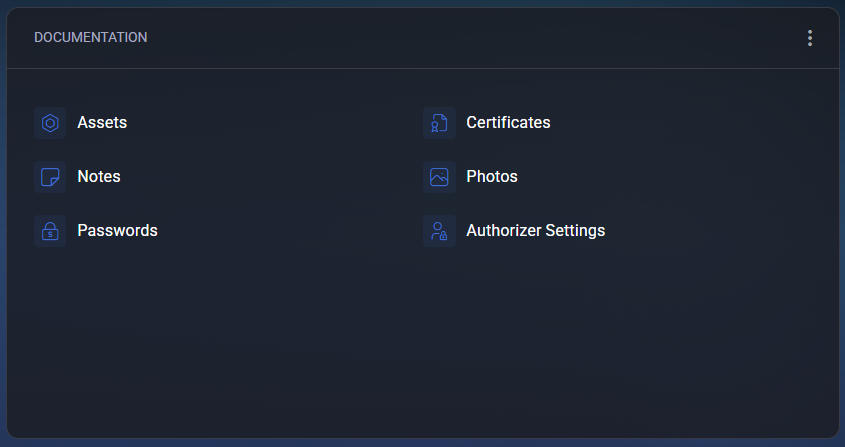
The widget includes several categories:
- Assets – used to document and track hardware or software resources, such as servers, licenses, and critical infrastructure components.
- Certificates – stores and manages SSL/TLS and other types of certificates, helping ensure encryption compliance and timely renewal management.
- Notes – allows saving important text-based information, such as configuration details, troubleshooting steps, or service instructions.
- Photos – used for storing image-based documentation, for example, hardware rack layouts, wiring diagrams, or physical installation references.
- Passwords – provides a secure place to store and access service credentials or system login details, accessible only to authorized users.
- Authorizer Settings – allows configuration of access and authorization parameters for specific documentation or users.
The widget supports customization through filters accessible via the top-right menu:
- Show Assets – toggles the visibility of the Assets section.
- Show Certificates – enables or hides certificate-related records.
- Show Notes – displays or hides text documentation.
- Show Photos – toggles the visibility of image files.
- Show Passwords – shows or hides stored credentials.
- Remove Widget from Dashboard – permanently removes the widget from the current dashboard view.
The Documentation widget is designed to simplify recordkeeping by consolidating all critical information into one secure, well-organized location within the MSPControl customer portal.
