Review software inventory in Device Apps
Overview
Section titled “Overview”Device Apps combines application inventory reported by connected devices with eligible Microsoft Intune application records available to the organization.
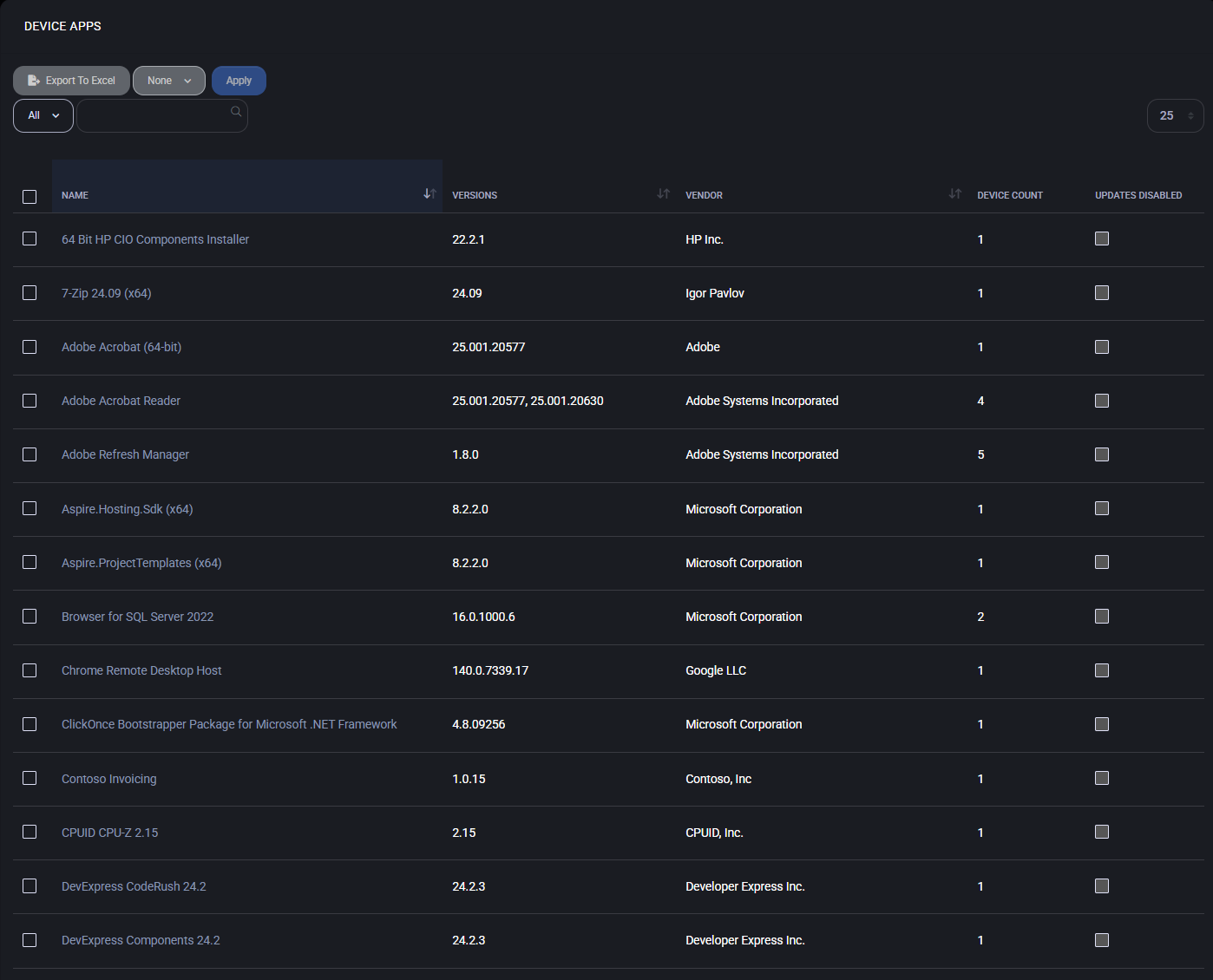
The page groups device-reported applications by name and shows:
- application name;
- reported versions;
- vendor or publisher;
- owning organization for customer-scoped Intune applications;
- number of distinct non-deleted device records associated with the application (not necessarily devices currently online);
- whether MSPControl has blocked automated updates for the device-reported application;
- optional risk information when the current application data includes a risk classification.
Before you begin
Section titled “Before you begin”You need permission to view the organization’s device applications. Additional actions appear only when your role and the organization’s configuration permit them.
Intune-specific controls are shown only when the organization has an offer that includes the Intune resource group and its Microsoft cloud application permissions are not read-only. Without that configuration, the page remains useful for device-reported software inventory.
Review installed application inventory
Section titled “Review installed application inventory”- Open the customer organization.
- Go to Devices > Device Apps.
- Search or sort by application name, version, vendor, owner, device count, or update-block status.
- Select an application name to open its details.
- Review the devices associated with the application before changing update behavior.
MSPControl counts distinct, non-deleted device records in the selected organization; the count does not require those devices to be online. When more than one version of an application name is reported, the version column lists the distinct recorded versions. Grouping by name does not prove that the installers or license rights are identical.
Filter Intune application records
Section titled “Filter Intune application records”When Intune actions are available, enable Intune Apps Only to restrict the table to records mapped to Intune applications.
The owner column distinguishes customer-scoped Intune applications from common applications. Selecting a customer owner from the global administration view opens that customer’s Device Apps page.
Export the inventory
Section titled “Export the inventory”Select Export to Excel to download AllApplications.xlsx.
At organization scope, the export includes application name, versions, vendor, device count, and the names of associated devices. At global scope, the device-name column is omitted.
Control application updates
Section titled “Control application updates”Users with the corresponding permissions can select device-reported application rows and apply:
- Disable Application Updates — adds the selected application IDs to the applicable MSPControl update block list;
- Enable Application Updates — removes the selected application IDs from that block list;
- Add to Device App Group — adds selected application names to a device application group.
Manage Intune application records
Section titled “Manage Intune application records”When the organization is eligible and writable, the page can also expose:
- Create Intune App;
- edit navigation for mapped application records;
- Detach Intune App, which removes the MSPControl association while leaving the Intune object in place;
- Delete Intune App, which follows the product’s Intune deletion workflow.
These are Intune application-management actions, not operations on the installed application binaries already reported by Windows devices.
Verify the result
Section titled “Verify the result”After exporting or changing an application setting:
- Reload the table.
- Confirm the expected application row and device count.
- Confirm the Updates Blocked state when you changed update behavior.
- Open the application details to verify the affected device list.
- For Intune operations, confirm the expected application record in the organization’s Microsoft Intune environment.
Next steps
Section titled “Next steps”- Use Microsoft Intune multi-tenant management for MSPs for the broader customer-aware operating model, supported workflows, and current product boundaries.
- Use Devices to review connected Windows endpoints.
- Use Agentless Devices for synchronized Microsoft cloud device records that do not depend on the MSPControl agent.
- Use Device details: network, software, and updates to inspect software and update information for one connected device.
Device health and inventory workflow
Section titled “Device health and inventory workflow”Use device health and software inventory to connect reported device state, application versions and affected devices into a customer review. Check collection freshness and source coverage before interpreting missing records or choosing a remediation.
