Review Azure Backup Results
Overview
Section titled “Overview”The Azure Backups Dashboard presents Azure backup reports received by MSPControl. Use it to review results across customers, open a reported protected item, and inspect the status and recovery-point information returned by Azure.
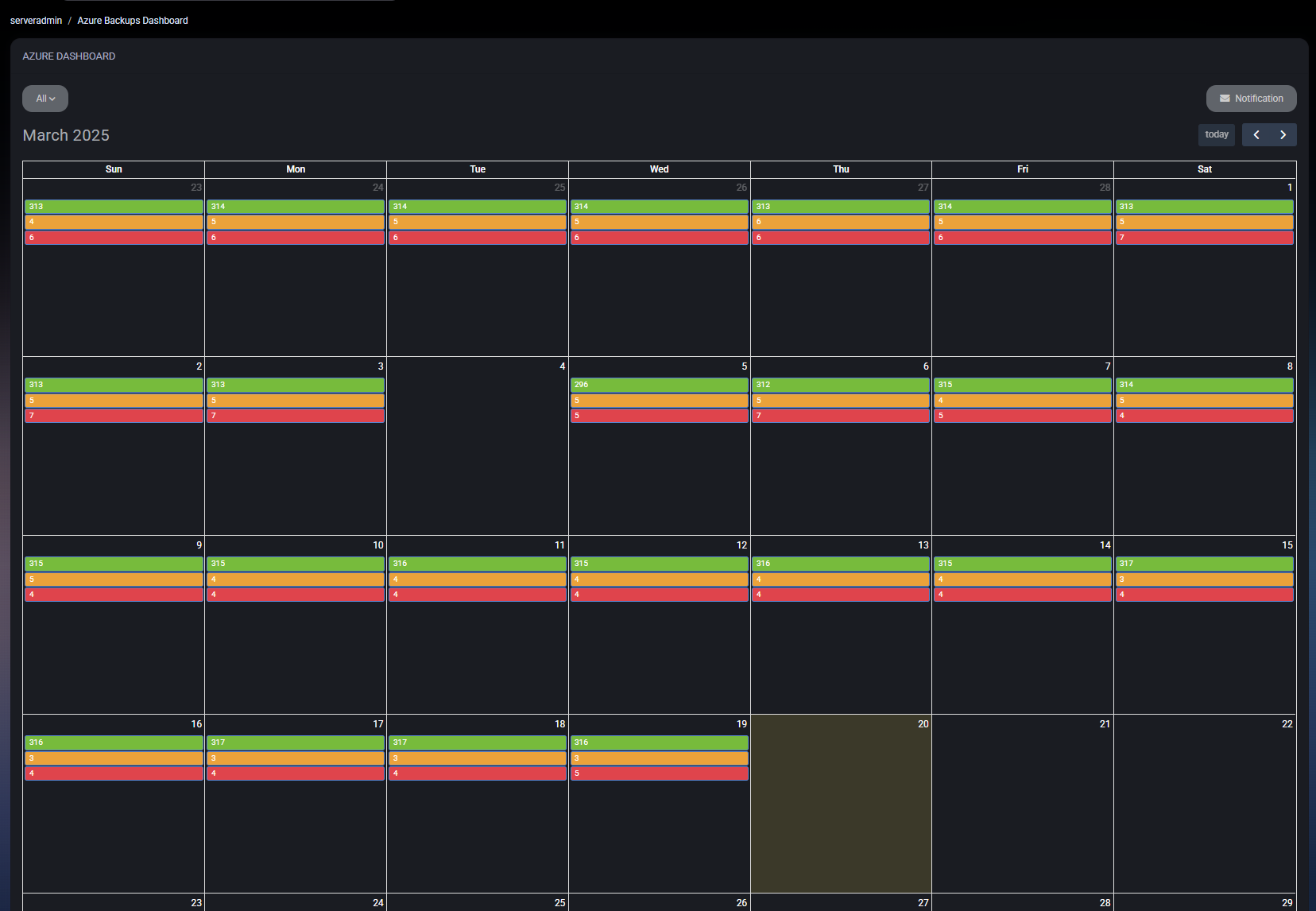
Read the calendar
Section titled “Read the calendar”Administrators can select a customer or keep All selected. The calendar uses green for success, yellow for warning, and red for error. Opening an event displays the protected items reported for that date and result.
Review protected items
Section titled “Review protected items”The event result list includes the reported item name, workload type, result, category, status, and restore-point counts. MSPControl provides detail views for the supported item types represented in the current interface:
- Virtual machines.
- SQL databases.
- Storage backup instances.
- Azure file shares.
- Replication items.
- Backup agents.
- Data Protection Manager (DPM).
Microsoft 365 Backup is handled separately from the current Azure backup calendar. Review its dedicated backup history rather than expecting its items in this dashboard.
Where supported, open an item to review its provider-specific properties. Users with the required access can also review or update the per-item settings exposed by MSPControl.
Configure notifications
Section titled “Configure notifications”Select Notification to configure an email recipient and choose whether MSPControl sends notifications for success, warning, and error results.
Verify the result
Section titled “Verify the result”- Confirm the expected customer is selected.
- Open a recent calendar event.
- Confirm its protected-item list and status information load.
- Open an item and confirm the appropriate workload-specific detail view appears.
- If notifications were changed, reopen Notification and confirm the saved email and result selections.
Related guides
Section titled “Related guides”Related cost and protection review
Section titled “Related cost and protection review”For a customer-level operating review that connects spending, burn-rate forecasts and reported backup outcomes, see Azure cost and backup monitoring. Confirm scope, data freshness and recovery evidence before drawing conclusions.
