Account Profiles and Add-ons
Customer account profile policy
Section titled “Customer account profile policy”This section controls which customer profile fields are required during customer creation and editing, and defines default values for account attributes.
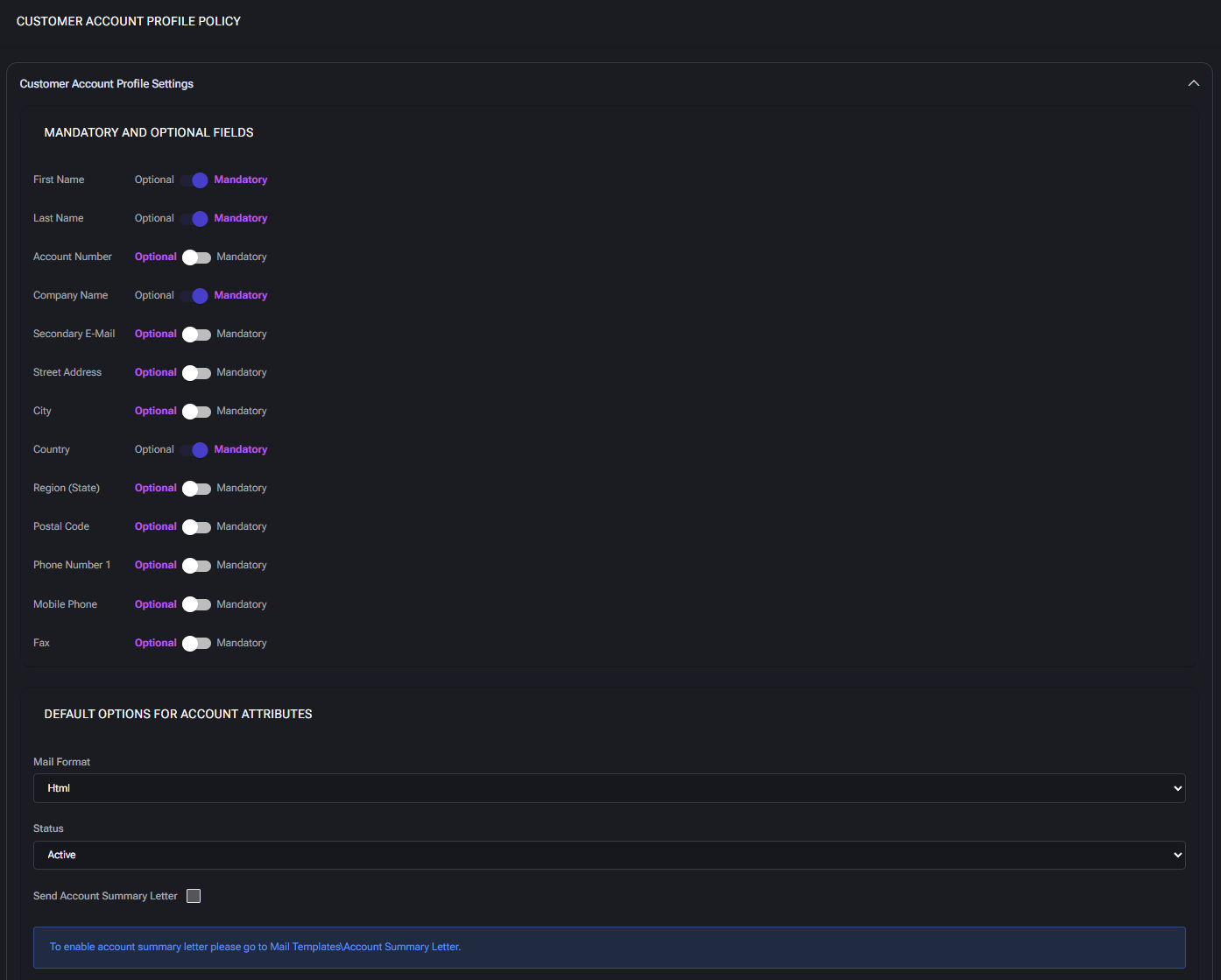
Customer account profile settings
Section titled “Customer account profile settings”This block is divided into two major subsections:
Mandatory and optional fields
Section titled “Mandatory and optional fields”Allows administrators to toggle whether each field is required (Mandatory) or can be left blank (Optional) when a new customer account is created or updated.
- First Name / Last Name: Customer’s contact name. Optional by default, but often required for personalized communication.
- Account Number: Internal identifier for the customer account. Can be auto-generated or manually input depending on your system needs.
- Company Name: Legal or trade name of the customer’s organization. Recommended for business customers.
- Secondary E-Mail: Backup contact email. Useful for escalation or recovery communications.
- Street Address, City, Region (State), Postal Code: Full address used for billing, shipping, or localization of services. Often optional unless invoicing or compliance requires it.
- Country: Typically used for localization and compliance with geo-specific policies (e.g. taxes, regulations).
- Phone Number / Mobile Phone / Fax: Contact channels. Admins may require mobile numbers for SMS or phone-based notifications.
Default options for account attributes
Section titled “Default options for account attributes”Predefines how newly created customer accounts behave.
- Mail Format: Default email format for outbound messages. Options typically include
HTMLorPlain Text. HTML is recommended for richer formatting. - Status: Default status of the customer account (e.g.
Active). Determines whether the customer can interact with services immediately upon creation. - Send Account Summary Letter: When enabled, triggers a summary email to be sent after account creation. You must configure the email content separately under Mail Templates > Account Summary Letter.
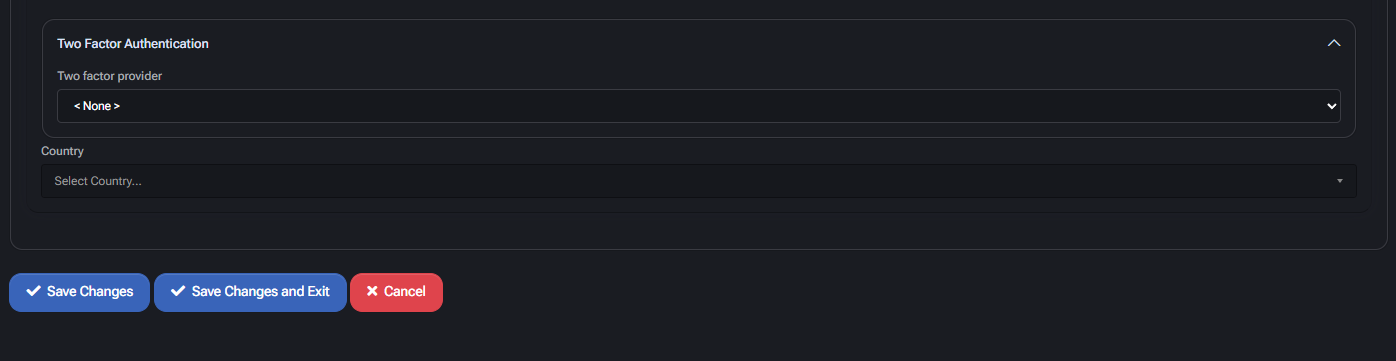
Two-factor authentication
Section titled “Two-factor authentication”This section allows enforcement of two-factor authentication for customer portal logins.
- Two-Factor Provider: Choose the authentication method to be used (e.g.,
None,Google Authenticator, etc.). If left asNone, 2FA will not be required. - Country: Optional field that can be pre-set to simplify customer registration. Used for geographic pre-filtering or localization logic.
Reseller account profile policy
Section titled “Reseller account profile policy”This policy defines the default field requirements and behavior of reseller accounts in MSPControl. Administrators can configure which fields are mandatory, set default attribute values, and apply optional security settings for all newly created or modified reseller accounts.
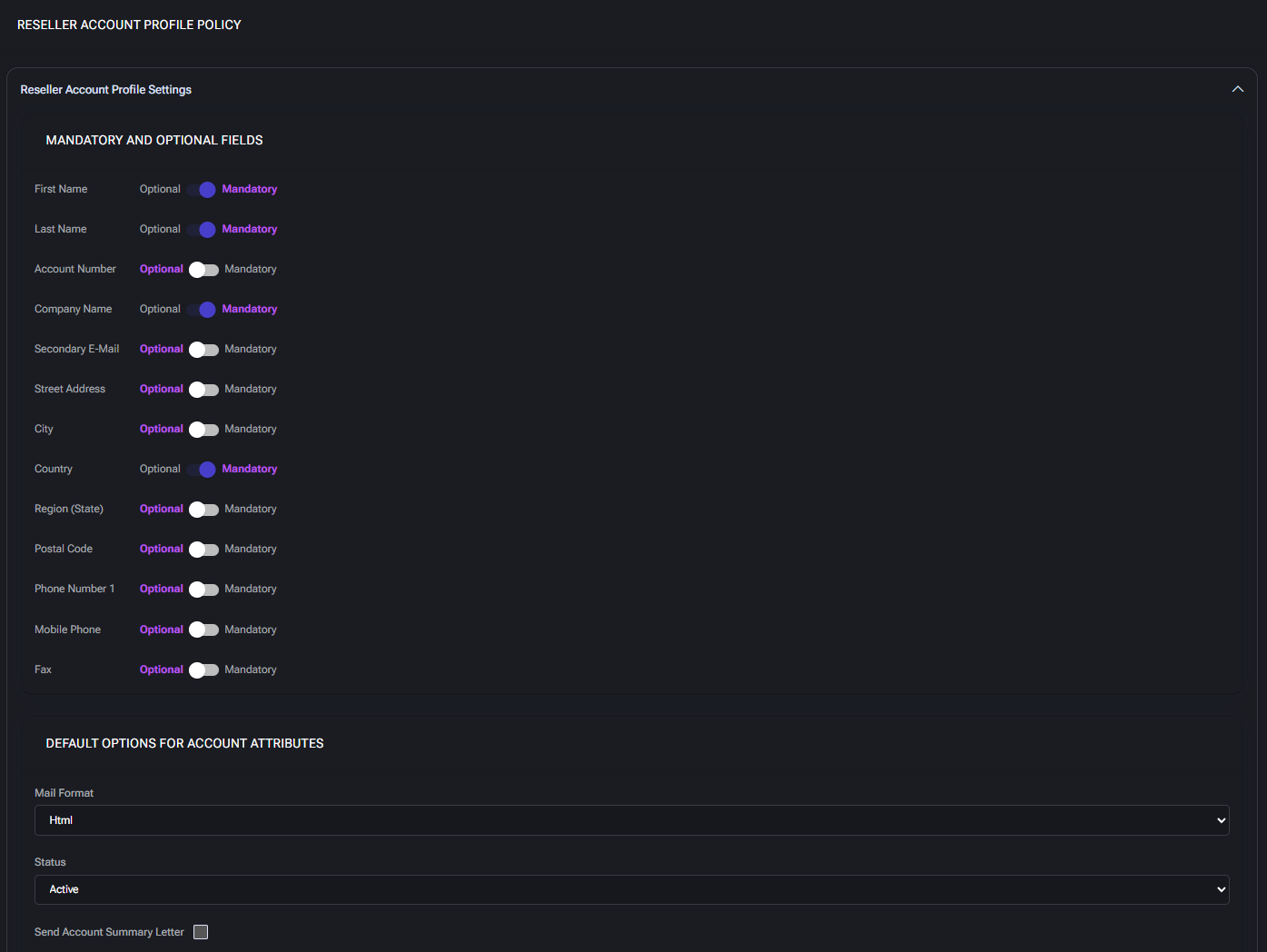
Mandatory and optional fields
Section titled “Mandatory and optional fields”Each profile attribute can be set as Mandatory or Optional. These settings control which fields must be filled out during reseller account creation or editing.
- First Name / Last Name: Basic identification fields for the primary contact person.
- Account Number: Internal tracking identifier; optional or required depending on workflow needs.
- Company Name: The formal name of the reseller organization.
- Secondary E-Mail: Optional email used for additional contact or backup communications.
- Street Address, City, Region (State), Country, Postal Code: Used for billing, compliance, and regional account filtering. Country is often marked mandatory to enable localization.
- Phone Number 1 / Mobile Phone / Fax: Standard contact methods. At least one should be enabled as mandatory if direct communication is expected.
Default options for account attributes
Section titled “Default options for account attributes”- Mail Format: Defines the default email format for reseller account notifications. Typical values:
HtmlorText. - Status: Sets the default account state (
Active,Disabled, etc.). This determines whether the account is usable immediately after creation. - Send Account Summary Letter: When checked, the system will dispatch an automated summary email to the reseller. Requires the template to be configured in
Mail Templates > Account Summary Letter.
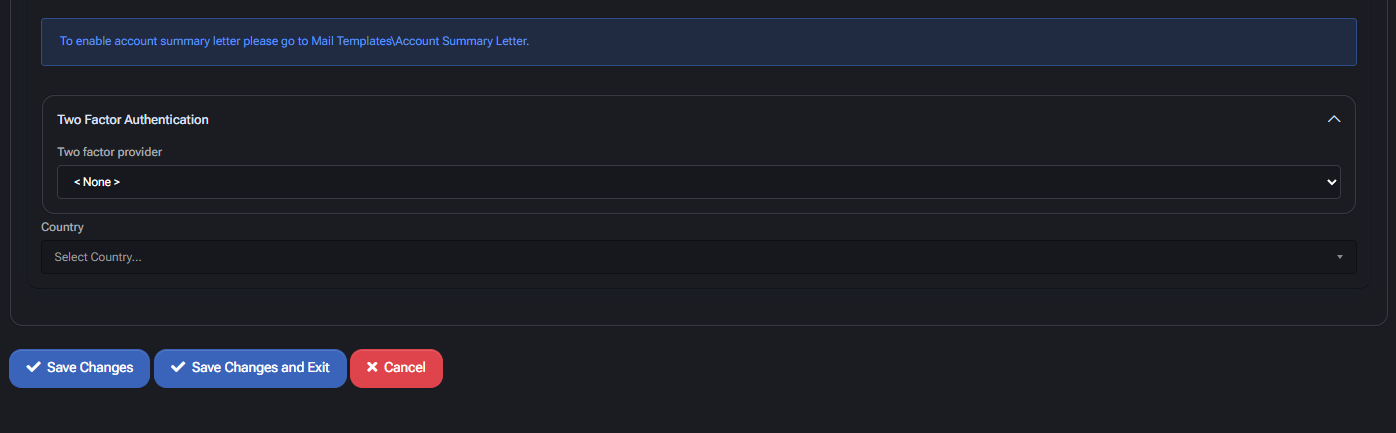
Two-factor authentication
Section titled “Two-factor authentication”- Two Factor Provider: Allows enabling of 2FA (e.g., via Authenticator apps or SMS). Set to
<None>by default unless your security policy mandates multi-factor authentication.
Country
Section titled “Country”The country selector helps localize account preferences and restrict regional services or tax rules. This dropdown reflects all countries supported by the system.
Peer account profile policy
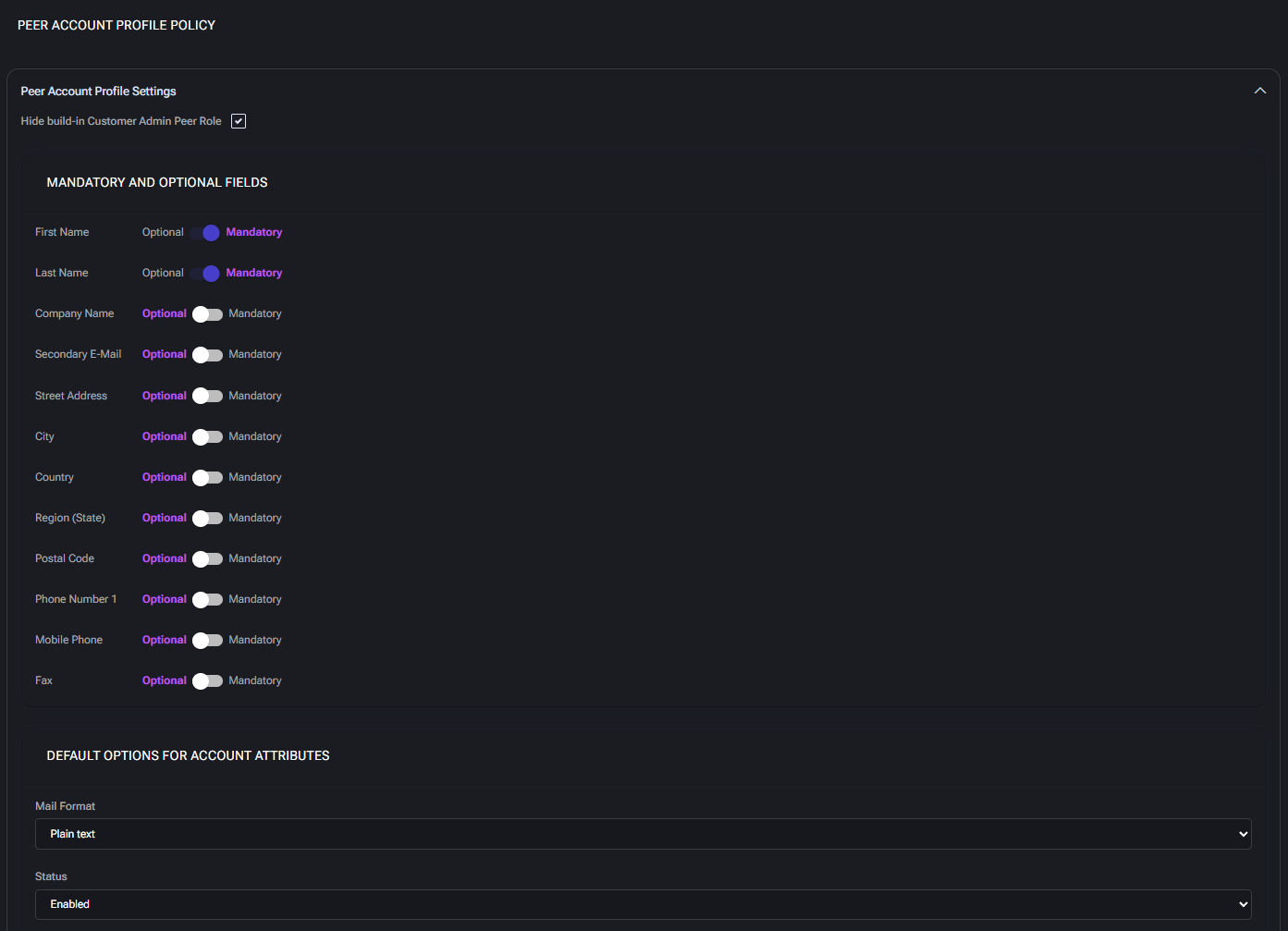
Section titled “Peer account profile policy”This section configures rules for peer account creation, including required profile fields, default behavior, and 2FA options.
Peer account profile settings
Section titled “Peer account profile settings”- Hide built-in Customer Admin Peer Role: When enabled, this setting hides the default peer role automatically assigned to peer accounts. Use this to enforce custom permission structures and reduce role clutter in UI.
Mandatory and optional fields
Section titled “Mandatory and optional fields”Use these toggles to control whether specific fields must be completed when peer accounts are created or edited. These rules apply across all interfaces (e.g. portal, API, admin UI).
- First Name / Last Name: Required for identification and user visibility.
- Company Name: Organization associated with the peer account. Useful for partner-linked workflows.
- Secondary E-Mail: Optional fallback email address for notifications.
- Street Address, City, Country, Region (State), Postal Code: Standard location fields. May be required for jurisdictional processing, automation, or reporting.
- Phone Number 1 / Mobile Phone / Fax: Contact methods for alerts or admin communication. Enforce if automation depends on SMS or voice-based messaging.
Default options for account attributes
Section titled “Default options for account attributes”- Mail Format: Sets whether peer account emails are sent in plain text or HTML by default. Use HTML if you include links, branding, or formatted data.
- Status: Default account state on creation. Enabled accounts are active immediately; use Disabled for manual review processes.
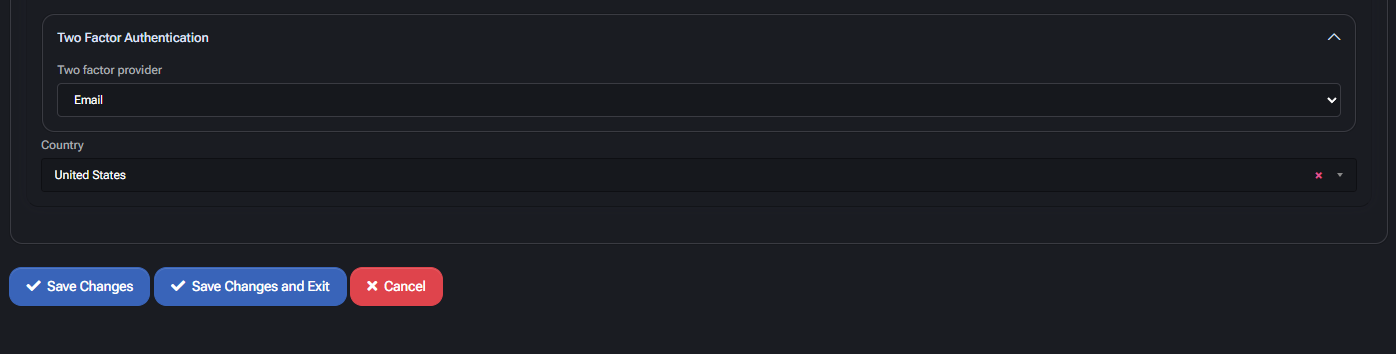
Two factor authentication
Section titled “Two factor authentication”- Two factor provider: Choose the 2FA method applied to peer logins (e.g. Email-based OTP). If set to None, no 2FA will be enforced unless overridden elsewhere.
- Country: Default country used for region-aware settings (e.g. phone formatting, default language, or business logic tied to geography).
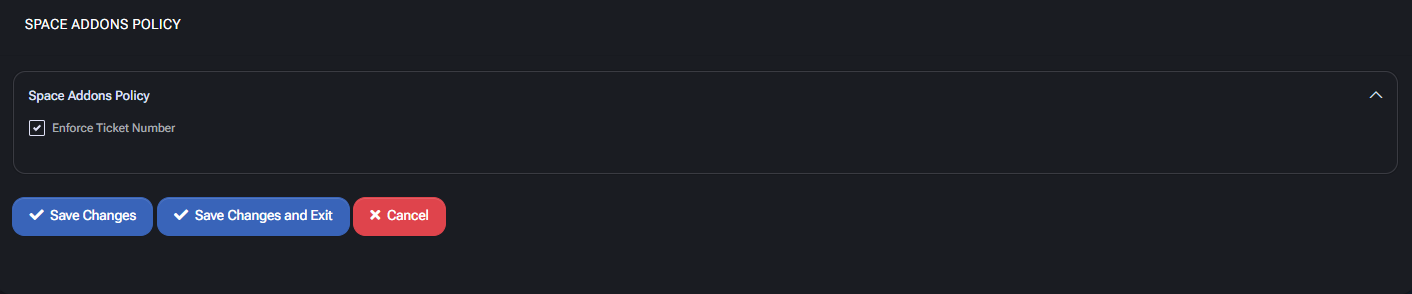
Space add-ons policy
Section titled “Space add-ons policy”This section governs behavior for managing add-ons assigned to hosting spaces. Add-ons can be tied to specific resources, service options, or external licensing components.
Space addons policy
Section titled “Space addons policy”- Enforce Ticket Number: When enabled, users must provide a valid ticket number to perform operations involving space add-ons. This ensures traceability and helps support auditing and approval workflows.
Reseller policy
Section titled “Reseller policy”Settings > Policies > MSPControl > Reseller holds the Reseller Account Profile Settings — the account-profile defaults applied to reseller accounts, as distinct from the customer and peer profiles configured elsewhere on this page.
A reseller is not a separate portal in MSPControl; it is an account type in the same hierarchy, and this policy is where the defaults for that type are set. See accounts and roles for how the three account types relate.
