Configure VirtuBot errors and agent models
Use Settings > Policies > VirtuBot to route automation errors to Microsoft Teams. Use Settings > Policies > Agent Models to register the completion and embedding endpoints selected by VirtuBot workflows.
Configure error notifications
Section titled “Configure error notifications”The Errors section of the VirtuBot policy exposes two settings:
- Teams Chat/Conversation ID — destination used for error notifications.
- Send Notification to the Teams Chat — enables or disables sending those notifications.
Save the policy after changing either setting. A Teams notification is an additional alert path; continue to use the MSPControl task and application logs when investigating a failed workflow.
Review agent models
Section titled “Review agent models”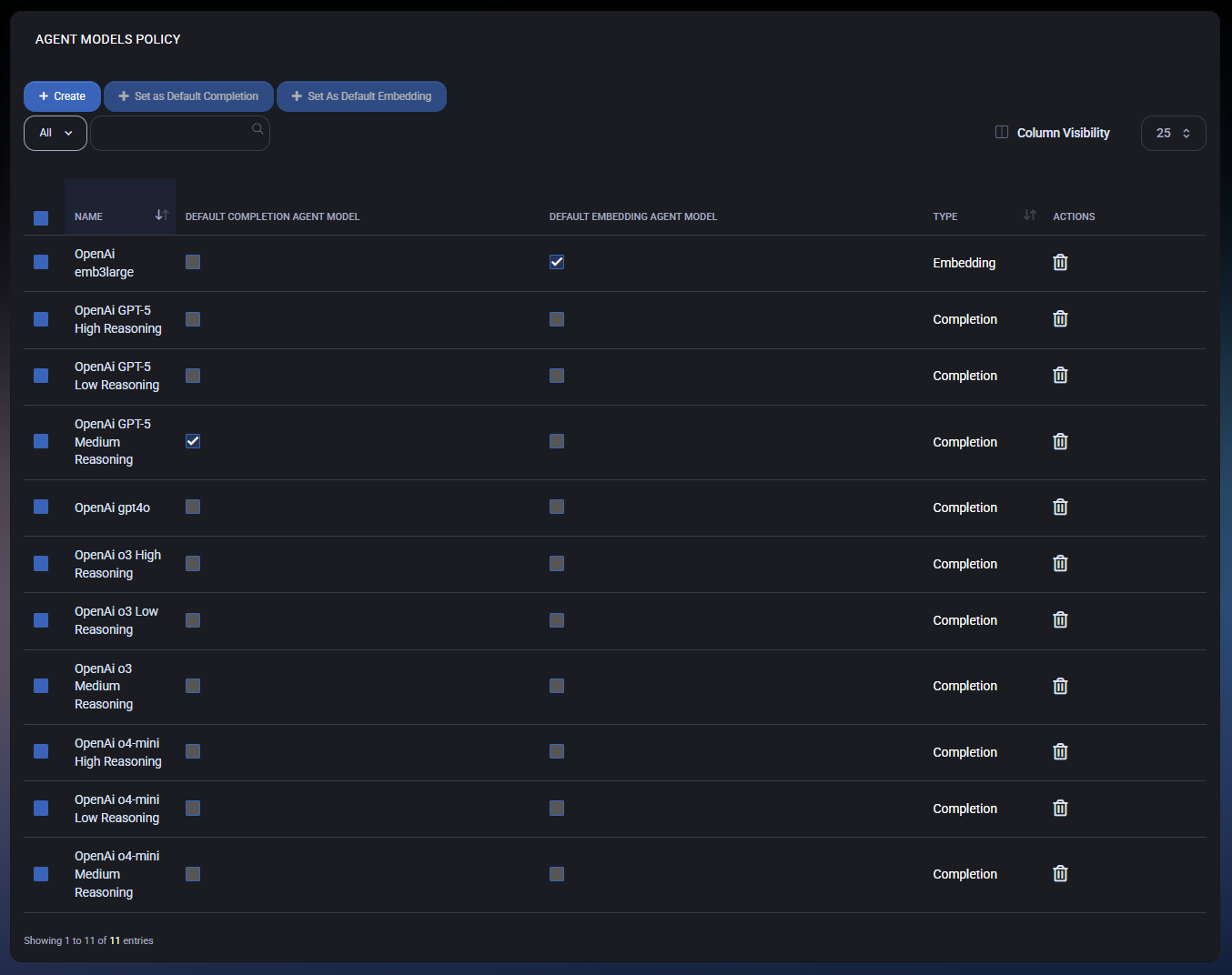
The Agent Models list shows the model name, type, and whether it is the default completion or embedding model. From this page you can:
- create a model;
- open a model by selecting its name;
- delete a model;
- select one Completion model and set it as the default completion model;
- select one Embedding model and set it as the default embedding model.
The UI rejects a default assignment when no row, more than one row, or a model of the wrong type is selected.
Create or edit a model
Section titled “Create or edit a model”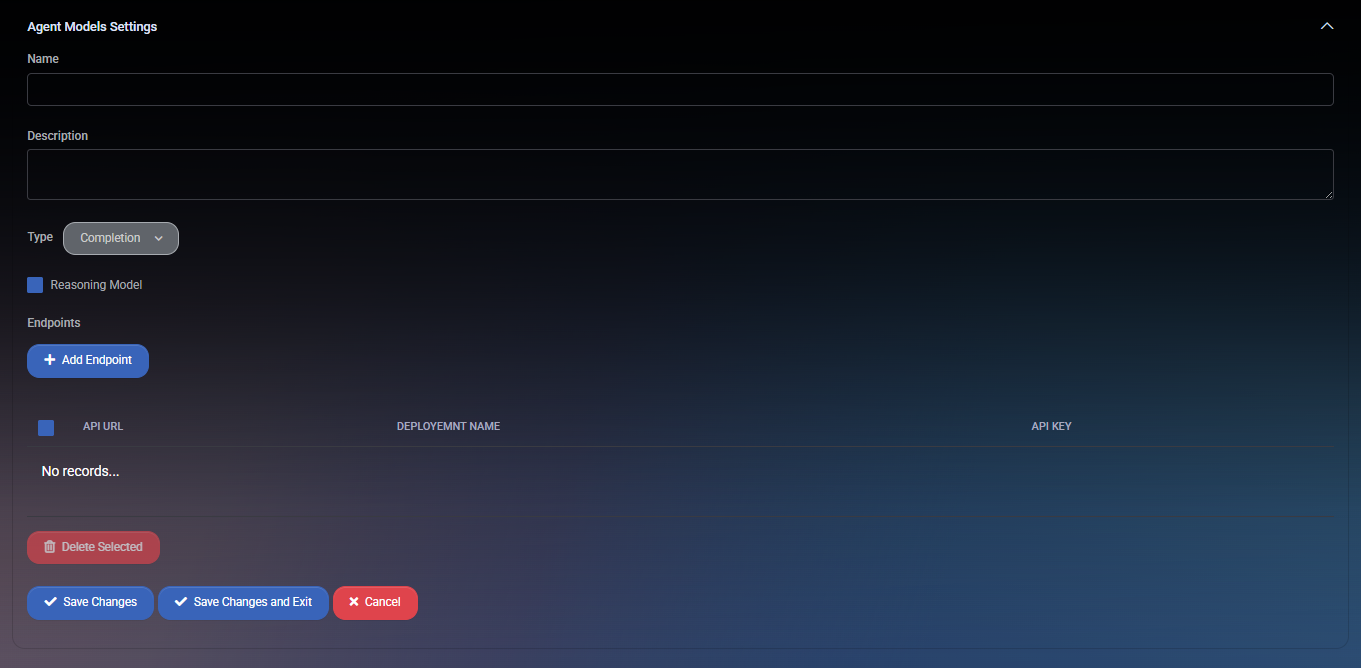
Configure these fields:
- Name — display name used in model selectors.
- Description — optional operational note.
- Type — Completion or Embedding.
- Provider — provider metadata shown for completion models. The reviewed execution services currently establish Azure OpenAI behavior; do not assume another provider is operational solely because it appears in the selector.
- Reasoning Model and Reasoning Level — optional completion-model metadata with Low, Medium, or High levels.
- Endpoints — one or more rows containing API URL, Deployment Name, and API Key.
Select Save Changes or Save Changes and Exit to persist the model and its endpoint rows.
Understand endpoint behavior
Section titled “Understand endpoint behavior”Current source establishes different endpoint behavior by model type:
- The reviewed Azure OpenAI completion service selects the first endpoint from the default completion model.
- The reviewed embedding service builds a queue from all endpoints on the default embedding model and rotates requests between them. It retries a failed embedding request up to three times.
Do not describe multiple completion endpoints as automatic load balancing or failover. That behavior is not present in the reviewed completion-service path.
If no default completion model or endpoint is configured, the reviewed completion helper can skip that optional completion and return no generated content instead of failing its caller. Other VirtuBot workflows may have their own validation requirements, so test each enabled policy in a non-production organization.
Validate the configuration
Section titled “Validate the configuration”Use the AI service-desk automation pilot to connect model configuration to a narrowly scoped ticket policy. Check generated output, saved ticket fields and errors separately; selecting a model does not prove the workflow succeeded.
- Confirm that exactly one completion model is marked as the default when completion workflows are enabled.
- Confirm that exactly one embedding model is marked as the default when indexing or similarity workflows are enabled.
- Verify the Azure OpenAI URL, deployment name, and credential for every endpoint.
- Start with one non-production organization and one narrowly scoped workflow.
- Review task logs and the configured Teams error destination before expanding the rollout.
Current support boundary
Section titled “Current support boundary”The data model contains more than one provider value, but the execution paths reviewed for this guide use Azure OpenAI clients. A visible provider option is not sufficient evidence of a supported runtime integration. Confirm non-Azure provider support with MSPControl before relying on it.
