Remote Access
Remote access
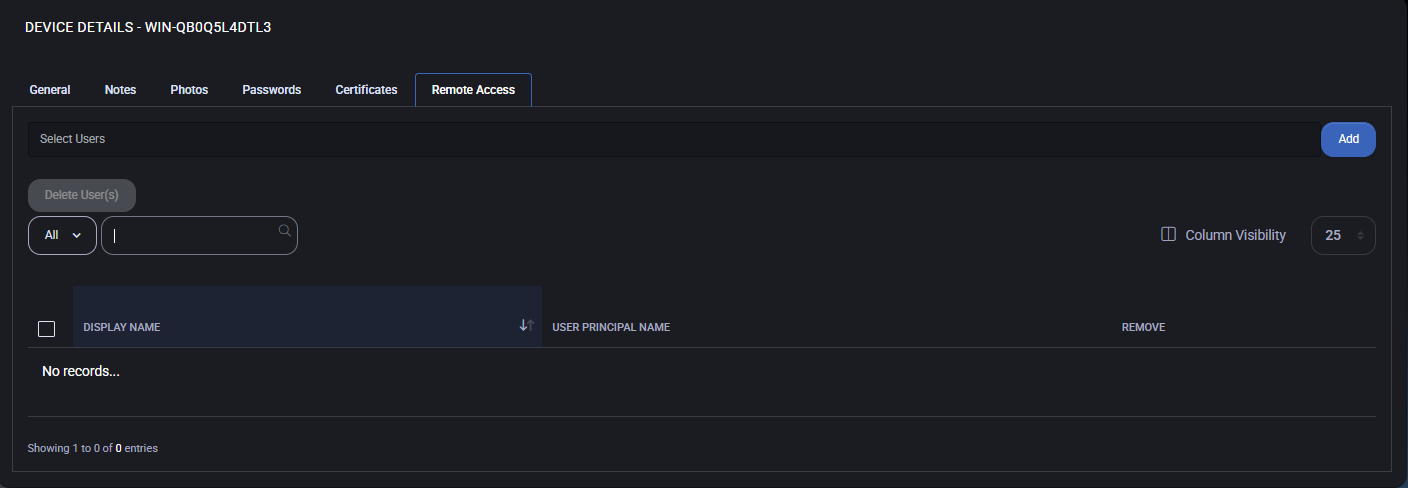
Section titled “Remote access”The Remote Access tab is used to assign users who are permitted to connect to the selected device remotely. This feature is essential for managing support access and ensuring that only authorized personnel can initiate remote sessions.
Assign users for remote access
Section titled “Assign users for remote access”- Use the Select Users dropdown to choose one or more users who should be granted remote access to the device.
- Click the Add button to assign the selected users.
Once assigned, the users will appear in the table below with the following information:
- Display Name – The name of the user as shown in the system.
- User Principal Name – The user’s login identity (usually an email address or UPN).
- Remove – Option to revoke remote access for a user.
Best practices
Section titled “Best practices”- Grant remote access only to trusted support or administrative personnel.
- Review assigned users regularly and remove access for inactive or external users.
- Use role-based access control (RBAC) where available to manage permissions at scale.
- Ensure remote sessions are logged and monitored for audit purposes.
