Exchange Online Security
Global Exchange online security policy
Section titled “Global Exchange online security policy”The Global Exchange Online Security Policy provides control over the handling of URLs in email messages processed through Exchange Online. This policy specifically focuses on managing Safe Links behavior for outbound communication and internal protections.
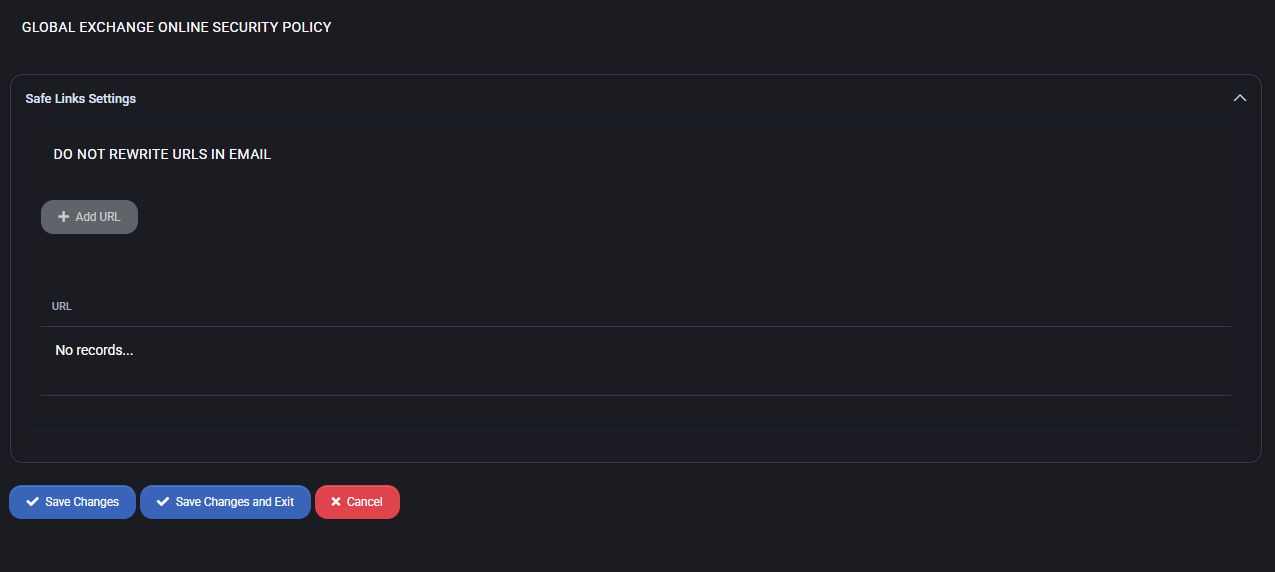
Safe links settings
Section titled “Safe links settings”The primary configuration in this section is the control of URL rewriting behavior in email content.
- Do Not Rewrite URLs in Email – This setting allows administrators to define exceptions for Safe Links processing. Any URL added here will be excluded from the default rewriting mechanism applied by Microsoft Defender for Office 365 (formerly ATP Safe Links).
- Add URL – Administrators can click this button to add a trusted domain or specific link to the exclusion list. This is especially useful for internal systems or services where Safe Links rewriting may break functionality.
- No Records – No additional URL rewrite exceptions are listed in this setting. Actual Safe Links behavior still depends on the effective Microsoft policy, licensing, supported clients and policy scope; this does not guarantee that every link is rewritten or scanned.
Best practices
Section titled “Best practices”For the customer review workflow, prerequisites and verification boundaries, see Microsoft 365 email security. Use the organization security procedure for the supported save, configuration-check and Repair steps.
- Only add URLs to the exception list if rewriting causes functionality issues or false positives in trusted services.
- Regularly review the Safe Links exception list to remove outdated or deprecated URLs.
- Educate end users about the importance of Safe Links rewriting as a protection layer against phishing and malicious content.
- Use this policy in conjunction with other Microsoft 365 security tools such as Safe Attachments, anti-phishing policies, and threat intelligence reports.
- Avoid adding public URLs or third-party domains to the exception list unless absolutely necessary.
