Subscriptions and Billing
Subscriptions policy
Section titled “Subscriptions policy”For a cross-functional review of subscription terms, scheduled processing and reconciliation, see MSP billing automation.
The Subscriptions Policy section manages how MSPControl handles automated billing, subscription messages, payment gateways, and tax integration. It provides system-wide parameters for enabling subscriptions, configuring cancellation notes, integrating Authorize.Net, and managing TaxJar Nexus addresses.
Settings
Section titled “Settings”- Subscriptions Enabled: Globally enables or disables subscription management in MSPControl.
Subscriptions settings
Section titled “Subscriptions settings”- Cancellation Note: Custom text sent to customers when a subscription is cancelled.
- Invoice Message: Additional text appended to invoices (e.g., terms & conditions notice).
- Subscriptions Immediate Cancel Allowed: If enabled, allows immediate cancellation of subscriptions.
Authorize settings
Section titled “Authorize settings”- Enabled: Enables Authorize.Net as a payment provider.
- Allow Import of Existing CIM Profile: Lets the system import saved customer profiles from Authorize.Net.
- Environment in use: Allows selection between Production and Sandbox environments.
Production settings / sandbox settings
Section titled “Production settings / sandbox settings”- API Login Id: Login credential for Authorize.Net environment.
- API Transaction Key: Transaction key required to authenticate with Authorize.Net.
- Test Settings: Verifies connection between MSPControl and the gateway.
Suspension rules
Section titled “Suspension rules”- Number of Days Overdue before Suspension: Defines delay before suspending a subscription after missed payment.
- Number Of Days Exceeding the Credit Limit before Suspend: Triggers suspension after credit threshold is breached for this duration.
Accepted payment types
Section titled “Accepted payment types”- Credit Card Enabled: Allows credit card transactions.
- Bank Account Enabled: Allows direct debit (if available from provider).
Wells fargo gateway API settings
Section titled “Wells fargo gateway API settings”- Enabled: Enables Wells Fargo API integration (if configured).
TaxJar settings
Section titled “TaxJar settings”- Enabled: Enables TaxJar for automated tax calculation.
- API Token: Authorization token used to access the TaxJar API.
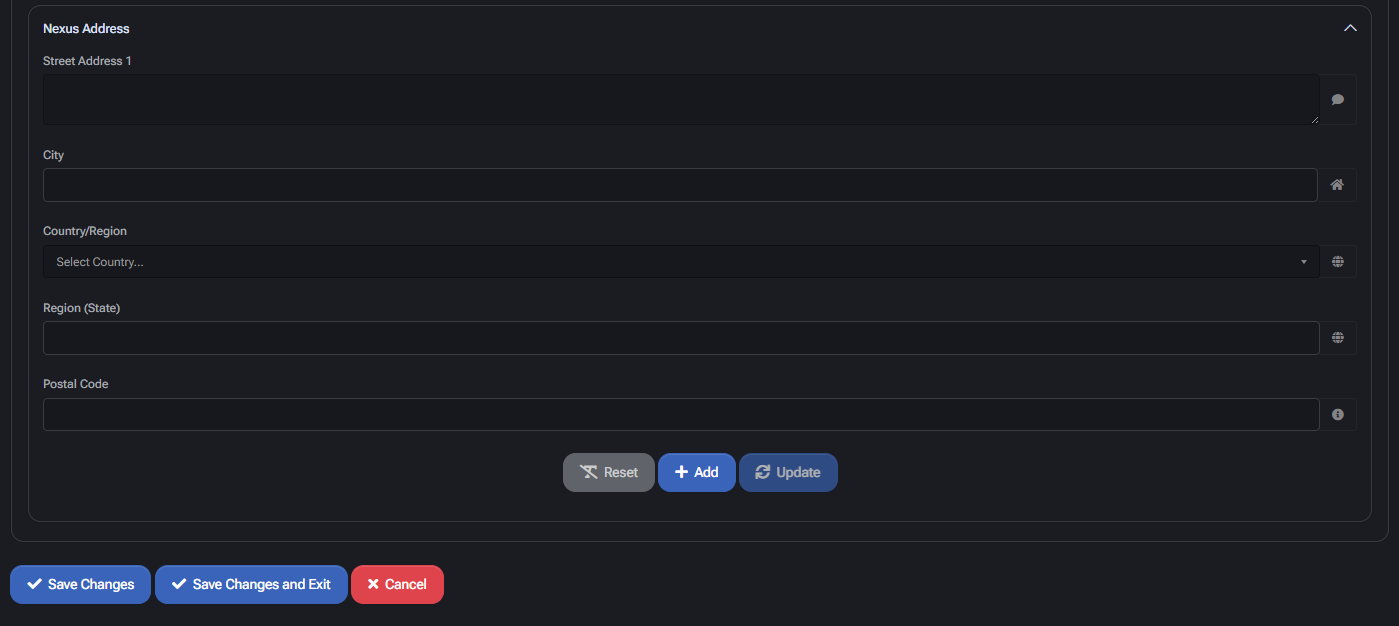
Nexus address configuration
Section titled “Nexus address configuration”- Street Address 1 / City / State / Zip: Defines legal location (nexus) for sales tax purposes.
- Country / Region: Must be aligned with TaxJar-supported regions.
- Test Settings: Validates current address configuration and token validity.
- Table View: Lists all added Nexus addresses with ability to edit/delete.
Best practices
Section titled “Best practices”- Use the production environment only after validating API keys in sandbox.
- Define realistic overdue periods to allow billing retries before suspension.
- Customize messages to reflect your billing and cancellation policies.
- Use Nexus address lists in every region where sales tax collection is required.
- Enable only supported payment methods configured with your payment processor.
Product categories
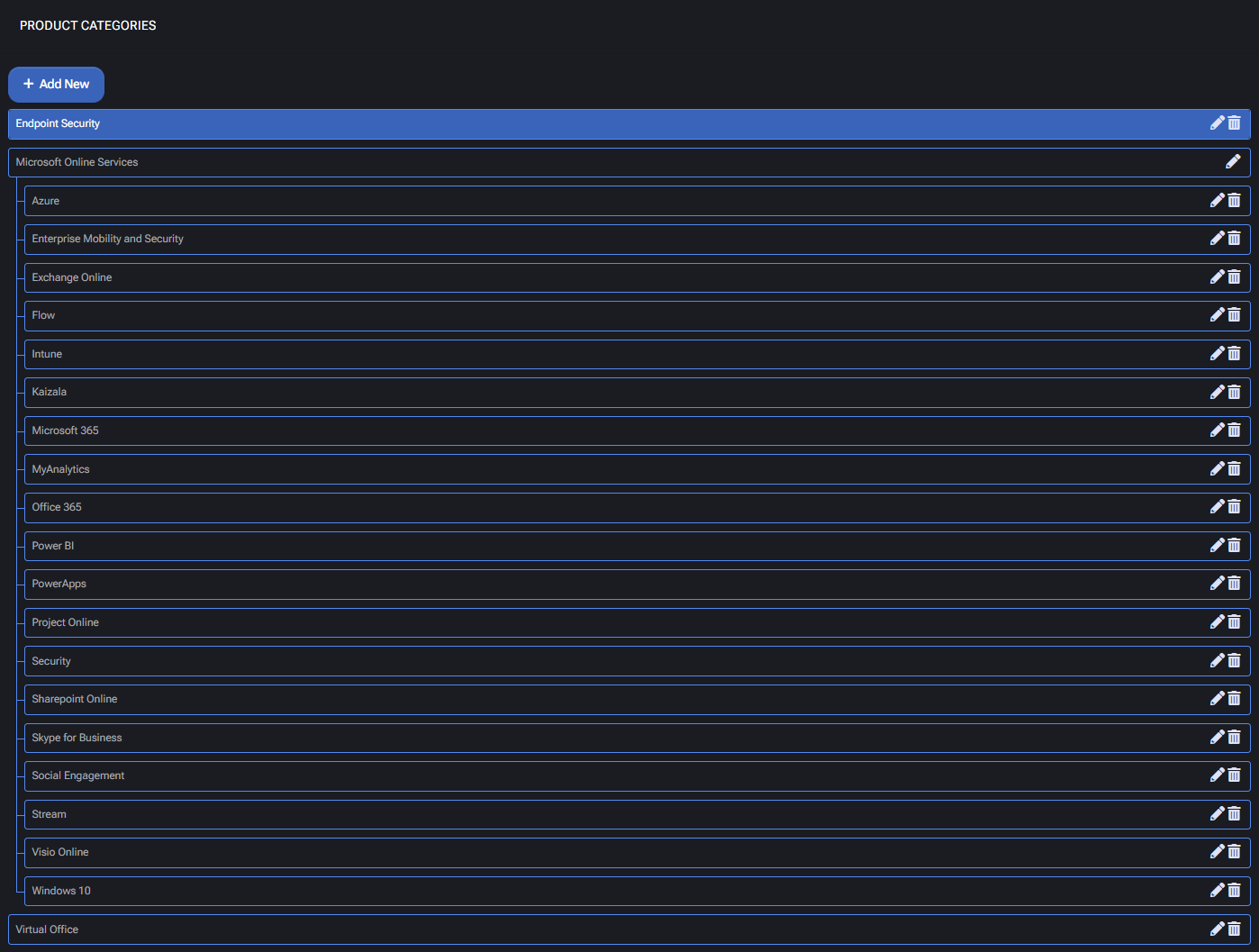
Section titled “Product categories”The Product Categories section defines the structure of your subscription marketplace. It controls how products are grouped and presented to customers, both visually and logically. Each category helps organize commercial offerings into a hierarchical catalog of services, simplifying navigation for users and streamlining backend automation. These categories are tightly integrated with the Subscriptions Policy. When customers purchase a product from a category, MSPControl can automatically provision associated resources, apply quotas, and enable related modules. This system ensures that service delivery is directly aligned with sales logic.
Category creation fields
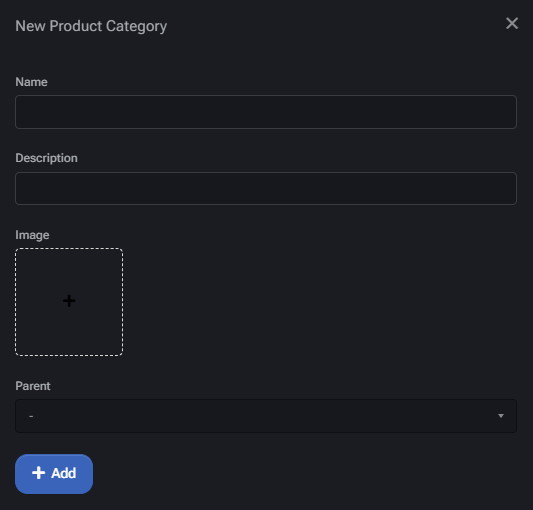
Section titled “Category creation fields”- Name: Title of the product category. Appears in storefronts and selection lists.
- Description: Optional field used for explanatory text or internal notes.
- Image: Icon or visual element used to represent the category in user interfaces (optional).
- Parent: Allows nesting under broader categories for better marketplace structure.
Use cases & hierarchies
Section titled “Use cases & hierarchies”- Use top-level categories like “Microsoft Online Services” or “VirtuWorks Hosted Services” to group related cloud offerings.
- Subcategories such as “Office 365,” “Azure,” or “Cloud Folders” can then be attached under these umbrella groups.
- Custom vertical offerings (e.g., “Virtual Office,” “Endpoint Security”) can be defined based on business needs.
Best practices
Section titled “Best practices”- Use concise, recognizable names to ensure a smooth user experience.
- Structure the marketplace using parent-child nesting to simplify product browsing.
- Add relevant images or icons to each category for easier visual recognition.
- Always confirm that categories are correctly linked to automation logic within subscription workflows.
Invoice terms
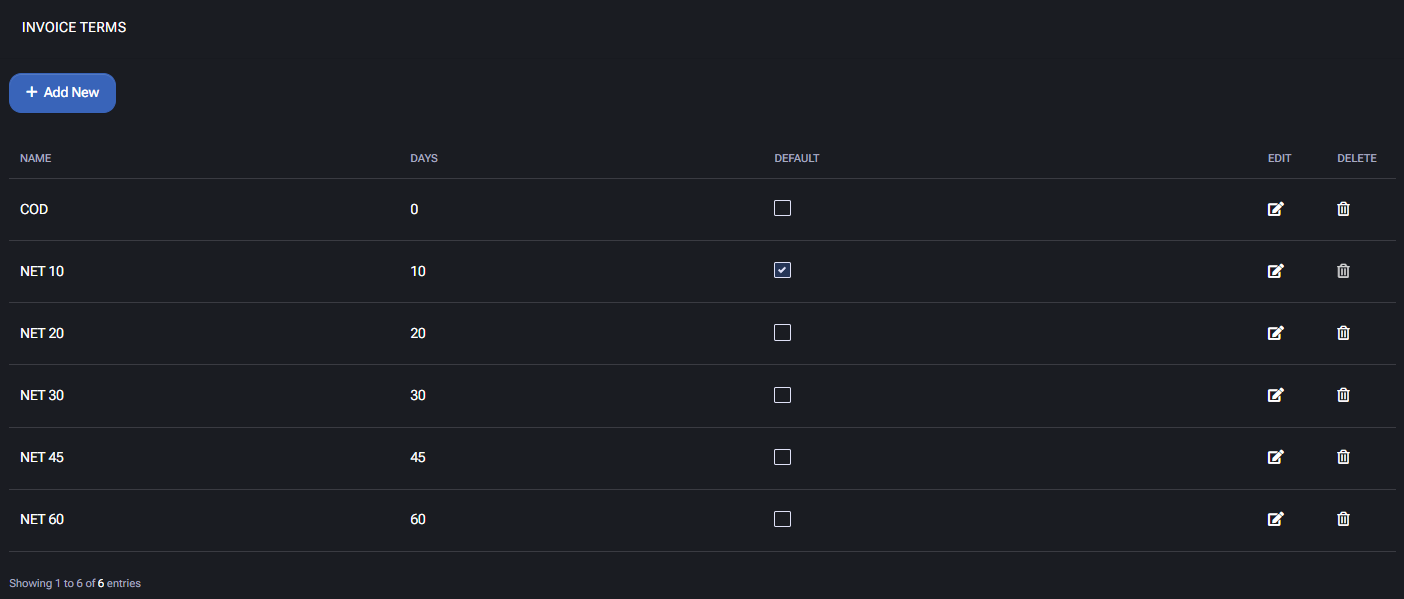
Section titled “Invoice terms”The Invoice Terms page allows administrators to define standard billing terms that determine how long customers have to pay invoices after issuance. These terms are applied to customer profiles and invoices throughout the MSPControl system.
Invoice terms table
Section titled “Invoice terms table”Each entry includes the following fields:
- Name: Descriptive label for the term, often using industry-standard names such as
NET 10,NET 30, orCOD(Cash on Delivery). - Days: The number of calendar days after an invoice is issued before it becomes due.
- Default: Indicates which invoice term is set as the system default for new customers.
- Edit / Delete: Modify or remove existing invoice terms from the table.
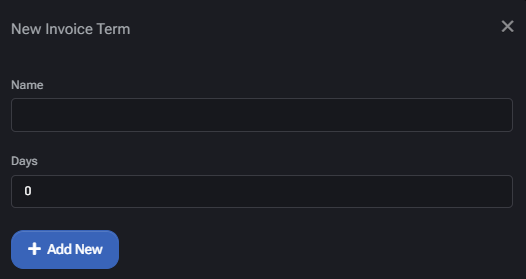
Creating a new invoice term
Section titled “Creating a new invoice term”To define a new term:
- Click Add New.
- Enter a Name (e.g.,
NET 45). - Specify the Days field to define the payment window.
- Click Add New again to save the term.
Use case
Section titled “Use case”Invoice terms influence payment timelines for billing and account receivables. For example, a NET 30 setting grants 30 days for payment. MSPs can define terms according to their billing policy, and optionally set one term as default for automatic assignment.
Best practices
Section titled “Best practices”- Use descriptive and standard naming conventions like NET 15 or NET 30.
- Assign a default term that aligns with your most common client agreement.
- Avoid modifying terms after invoices are issued to maintain billing integrity.
